How do I view the Rutter platform_id of an object on Sage's UI?
Last updated: April 16, 2026
In general, the platform_id field in the Rutter API response, for any given object, is mapped to a unique id from the platform.
In Sage Intacct, this unique id is the RECORDNO field, which you can see in the platform_data field in any GET API response by adding the expand=platform_data query parameter to your request.
In the Sage Intacct UI, this field may not be visible by default. Here are steps to view this field on the UI, using invoices as an example:
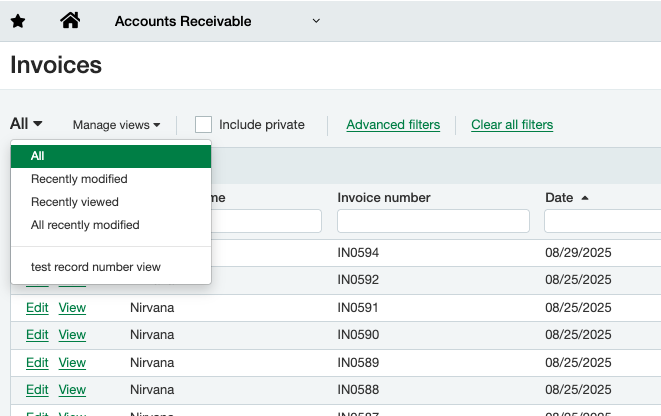
Navigate to the object's page (Accounts Receivable -> Invoices)
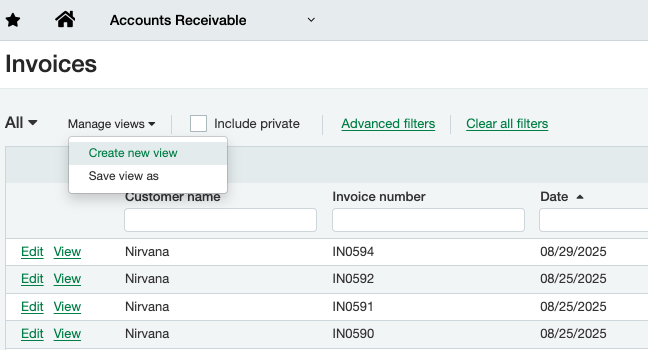
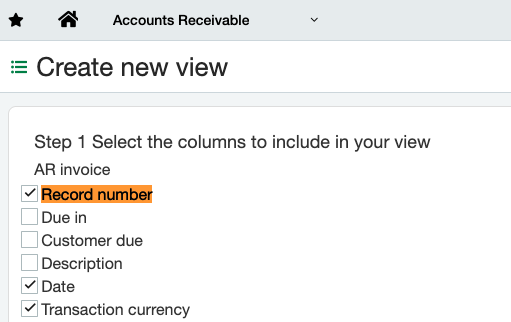
Create a new view, selecting the "Record Number" column to display in your view (Manage views -> Create new view)
You can select the new view you just created using the top left dropdown ("test record number view" here)