How to generate an Odoo API key for Rutter
Last updated: June 2, 2026
When connecting Odoo to Rutter, the end user is asked for a Server URL, Database name, Username, and a Password or API key. The account password works in most cases. However, if the Odoo account has two-factor authentication (2FA) enabled, the password is rejected for API access and an API key must be used instead. Using an API key is also recommended in general — it grants the same access as the password and can be revoked independently.
Generating an Odoo API key
Log in to Odoo as the user you want to connect.
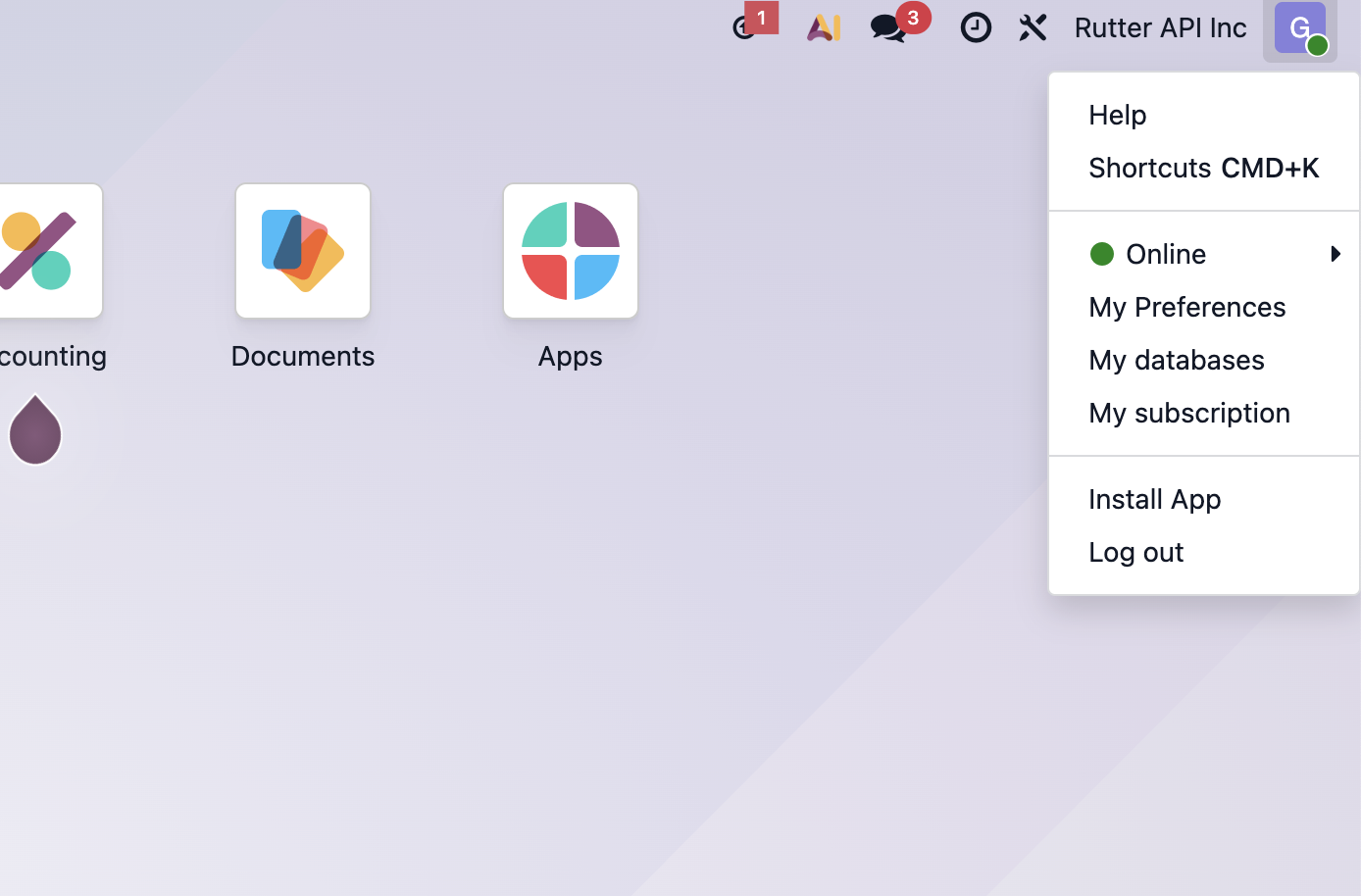
Click your profile name in the top-right corner, then choose My Profile (labeled Preferences in some versions).
Example
Open the Security tab (called Account Security in older Odoo versions).
Example
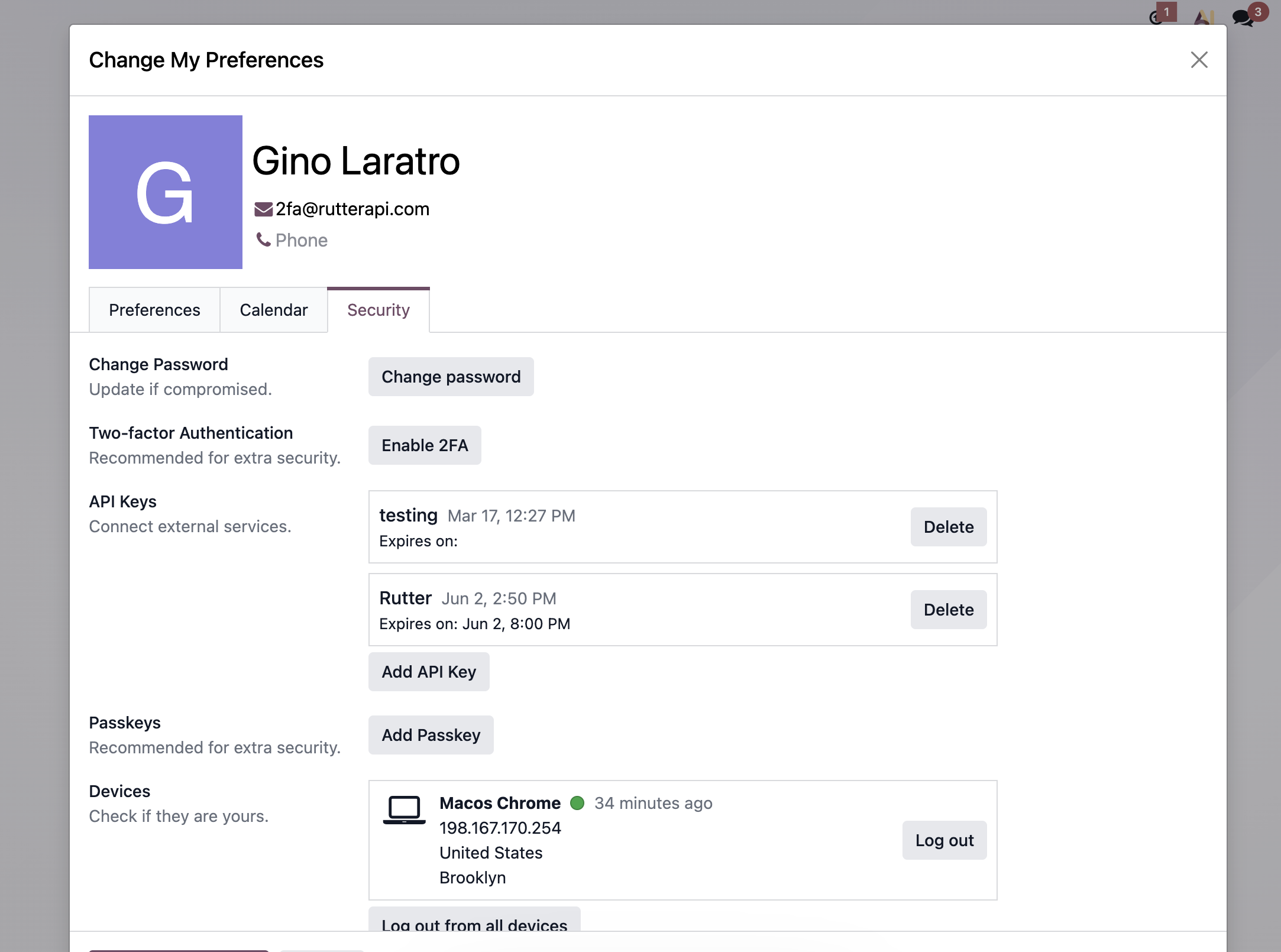
In the API Keys section, click Add API Key. Odoo asks you to re-enter your password to confirm it’s you.
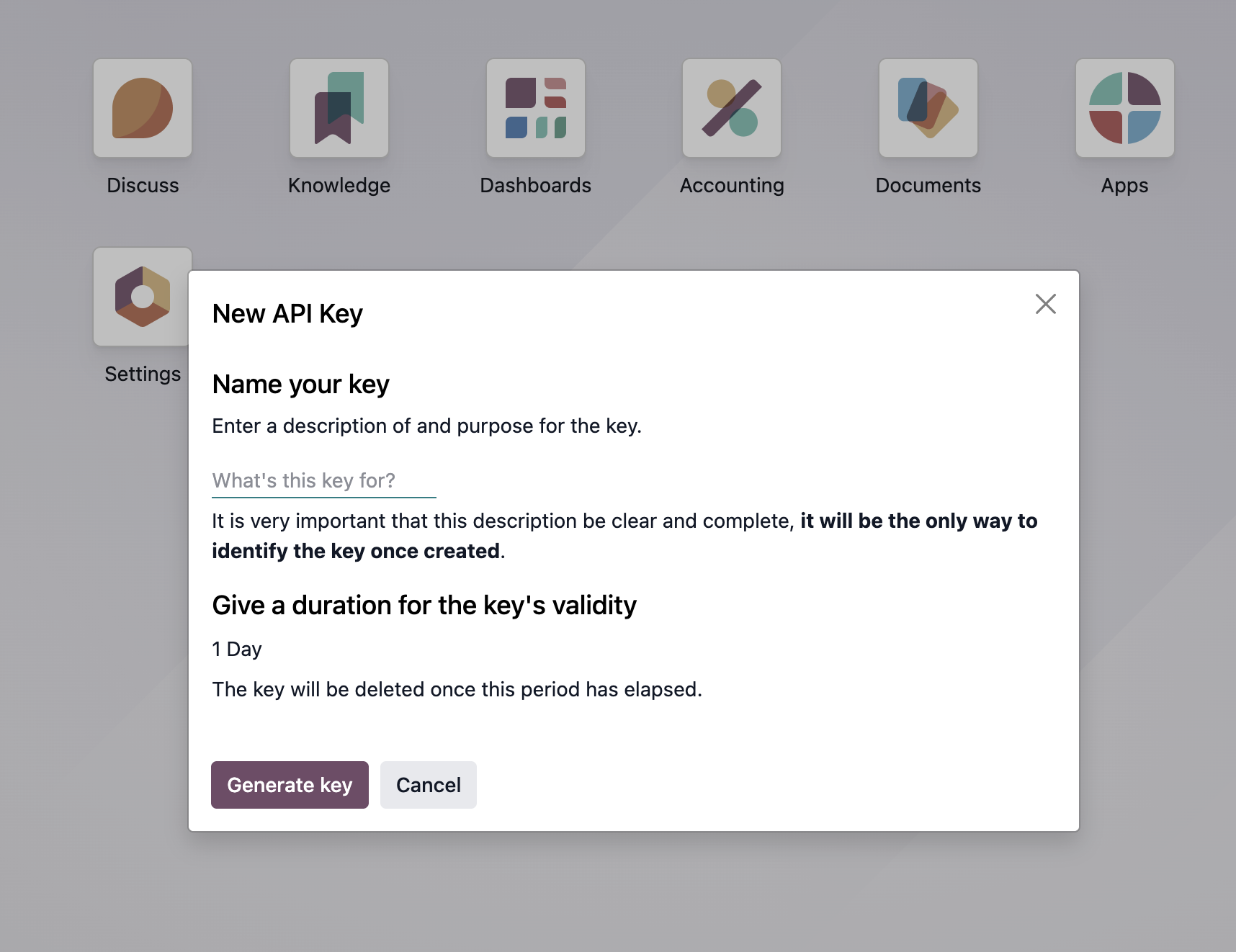
In the New API Key dialog, enter a description (for example, “Rutter”) — this is the only way to identify the key later — and set the validity duration. Odoo automatically deletes the key when this period elapses (the default can be as short as 1 Day), so choose a duration that matches how long the connection should stay active. Then click Generate Key.
Example
Odoo shows the key only once on the API Key Ready screen and warns that it grants full access to the account and cannot be retrieved later. Copy it immediately and paste it into the Password or API key field in Rutter Link.
Important: external API access requires a paid Odoo plan
Odoo’s external API (which Rutter uses to read and write data) is not available on the One App Free or Standard plans. The account must be on a Custom plan. On an unsupported plan, API authentication will fail even with valid credentials and a valid API key.
Troubleshooting
“Access Denied” on connect — usually a wrong database name, username, or password, an expired/trial database, or 2FA being enabled (which requires an API key rather than the password).
Connection succeeds but no data syncs — commonly a 2FA account connected with a password instead of an API key, an Odoo plan that does not include external API access, or an API key whose validity period has elapsed.