Why are there Data Discrepancies when Fetching Invoices from Rutter's API vs. Xero's Platform API?
Last updated: July 23, 2025
Rutter's API relies on a specific field, UpdatedDateUTC, from Xero's platform to determine whether data should be synchronized or not. If this field is not updated, Rutter's API will not sync data from Xero's platform.
In what scenarios are there data discrepancies between Rutter's API and Xero's API when fetching invoices?
When using demo company data:
Demo account data is auto-generated and will automatically be reset every 28 days.
Demo company data may not be up-to-date which may lead to data discrepancies.
When Xero's platform does not mark an invoice as "updated":
Some fields on Xero's platform will not mark an invoice as "updated" due to where the data is stored on their database (e.g., updates to invoice attachments will not mark an invoice as updated as attachments are stored on a different database).
Notable fields that may not be synchronized are file attachments for invoices and changes to contact information.
What to do if you are finding data discrepancies in your invoice fetch requests:
Make sure that your organization is not pulling demo company data. If your team is planning on testing the fetch endpoint, consider setting up a free trial organization on Xero's platform as the data will be fresh and synced.
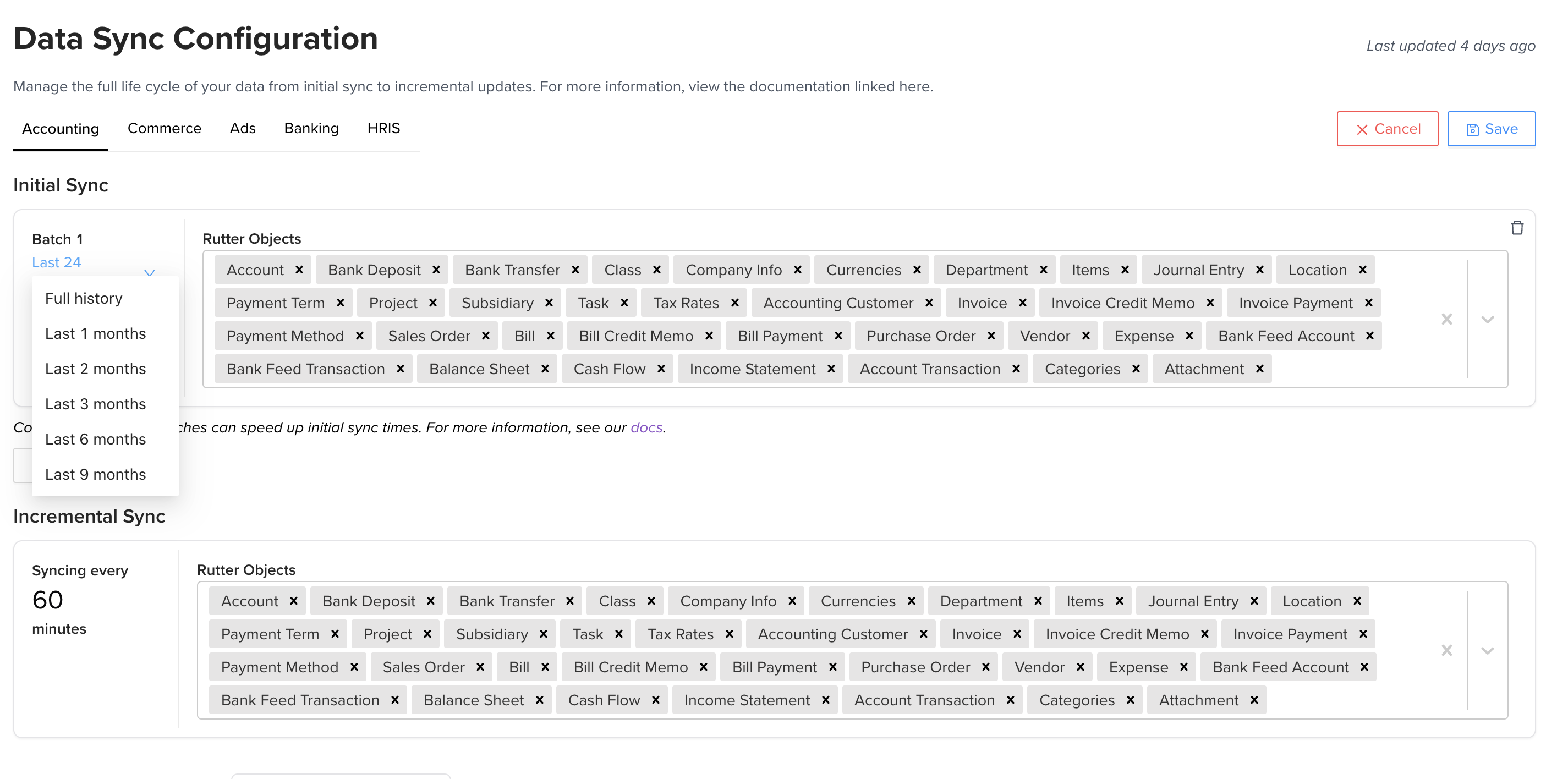
Consider changing your Initial Sync Batch to begin from "full history" instead. This can be done on the Rutter Dashboard as seen in the screenshot below.